)


AUDIO CONTROL
855814005341
ACR-1
$59.00
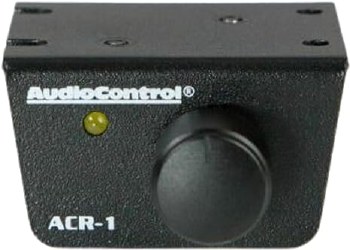
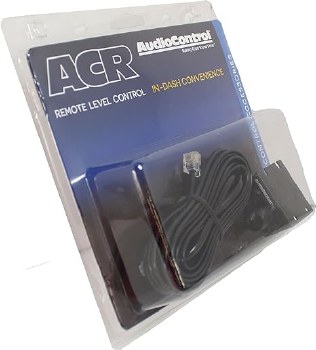
ACR-1 Dash Remote, remote level/bass control for select AudioControl amps and processors:
6XS, ACM-1.300, The Epicenter Concert Series, LC2i, LC6i, OC7i, Overdrive Plus, Matrix Plus, LC-4.800, LC-6.1200
6XS, ACM-1.300, The Epicenter Concert Series, LC2i, LC6i, OC7i, Overdrive Plus, Matrix Plus, LC-4.800, LC-6.1200
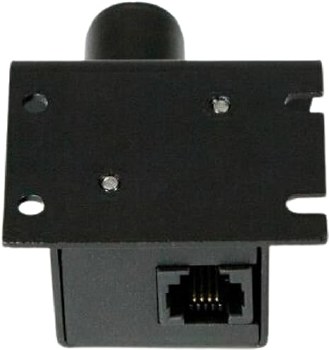
Wired Remote Control: Using this wired remote (ACR-1) you can easily adjust the subwoofer output level of select AudioControl amplifiers and processors. The remote is designed to be dash mounted, within reach of the driver; it can be mounted under the dash with the supplied bracket, or the bracket can be removed and the knob and LED can be custom mounted through the dash.
Compatibility: The ACR-1 wired remote control is compatible with the following AudioControl processors and amplifiers.
- LC2i / LC6i/ LC7i
- Overdrive Plus
- Matrix Plus
- 6XS
- The Epicenter
- LC-4.800 / LC-6.1200
- ACM-1.300
Mounting Options: The dash control may be mounted under the dash using its own bracket or through a custom hold in the dash. It should be within reach of the driver and in a spot where the LED is plainly visible.
- Bracket Installation: The dash control mounts with two screws, which attach to the underside of the dashboard. Slide under the dash and place the dash control in its mounting position, mark the two mounting holes, drill pilot holes, and secure with two screws.
- Custom Installation: For that custom, finished look, the dash control can be flush mounted directly on the dash-board (or anywhere else). Disassemble the dash control from the mounting bracket. Start by pushing the LED from its holder followed by removing the circuit board and rotary control from the bracket. Drill a 9/32" hole in the dashboard for the control along with a 1/8" hole for the lock tab and a 13/54" hold for the LED holder. Reassemble the dash control components on the dashboard.
- remote level/bass control for select AudioControl amps and processors:
- LC2i 2-channel line converter
- LC6i 6-channel line converter
- LC7i 6-channel line converter
- Overdrive Plus line driver
- Matrix Plus line driver
- 6XS crossover
- The Epicenter bass processor
- LC-4.800 4-channel car amplifier
- LC-6.1200 6-channel car amplifier
- ACM-1.300 mono subwoofer amplifier
- LC6 and LC8 line output converters
- 20' cable and mounting plate included
- 2-9/16"W x 1-1/2"H x 2-1/2"D